
A little less
planning.
A lot more
cooking.
Save the recipes you love, cook with what you have, and see every step clearly. Your kitchen, a little more organized.
Made for real, everyday cooking.
Banana Bread
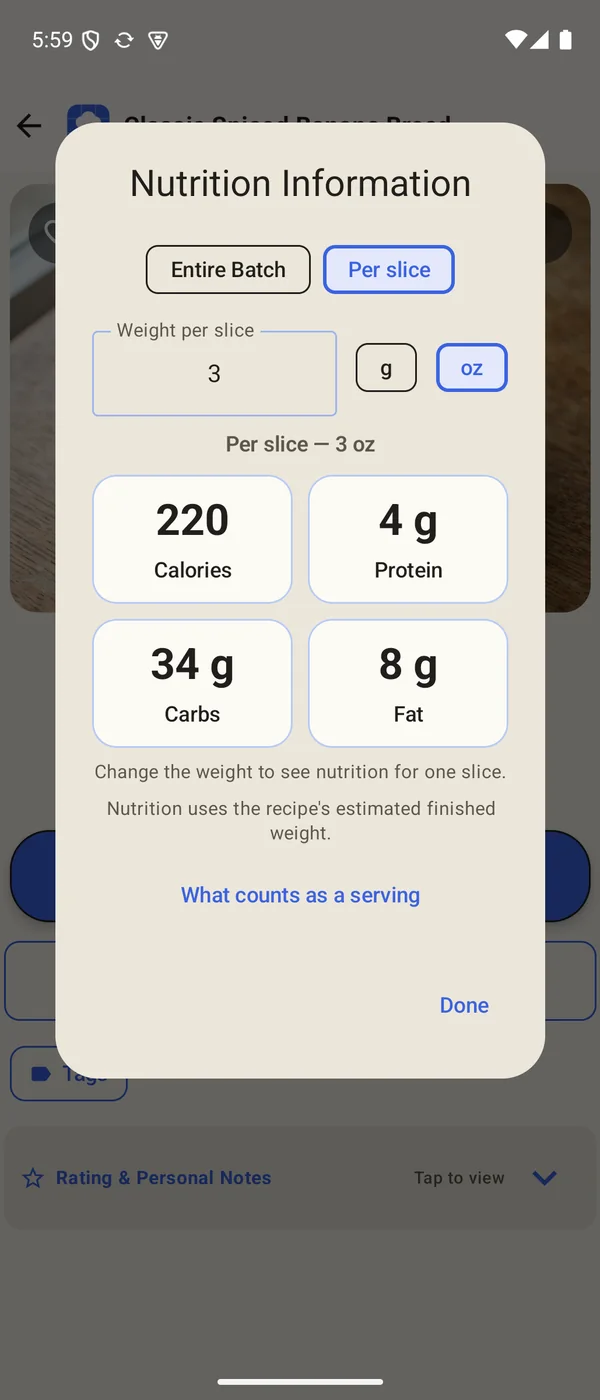
An estimate from the ingredients. 10 slices to the loaf. Change the batch size above to see the whole-batch values update.
Tap any box to mark it complete.
Read it left to right: each ingredient joins the first step that touches it, and every step flows into the next, all the way to the finished dish.
Tap an ingredient or an earlier step to see its box in the grid.
See what goes in.
Know what comes next.Three real recipes from the app, laid out the way the app shows them.
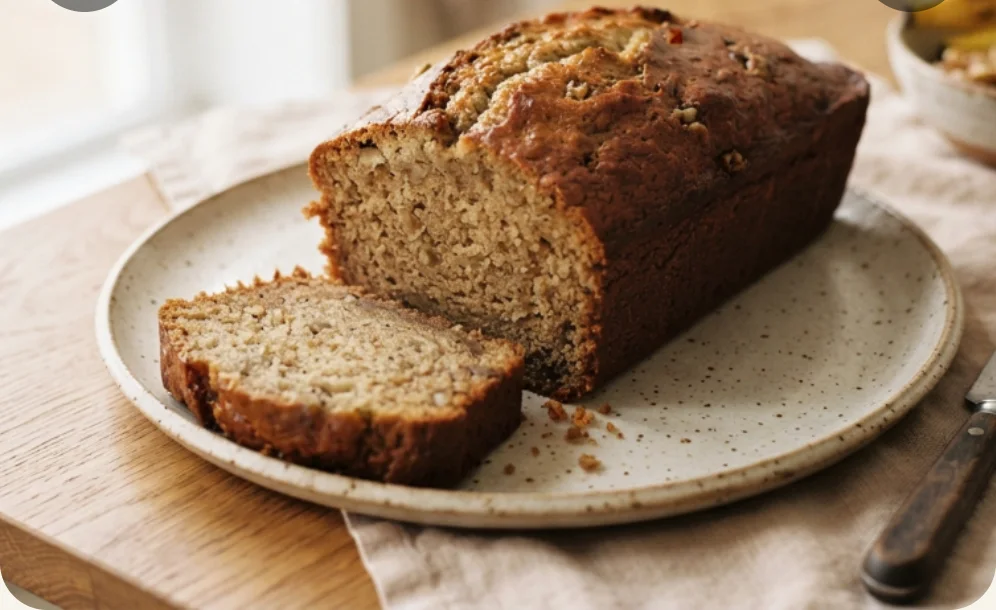
From idea to dinner.
One place for the recipes, ingredients, and plans that make a meal.
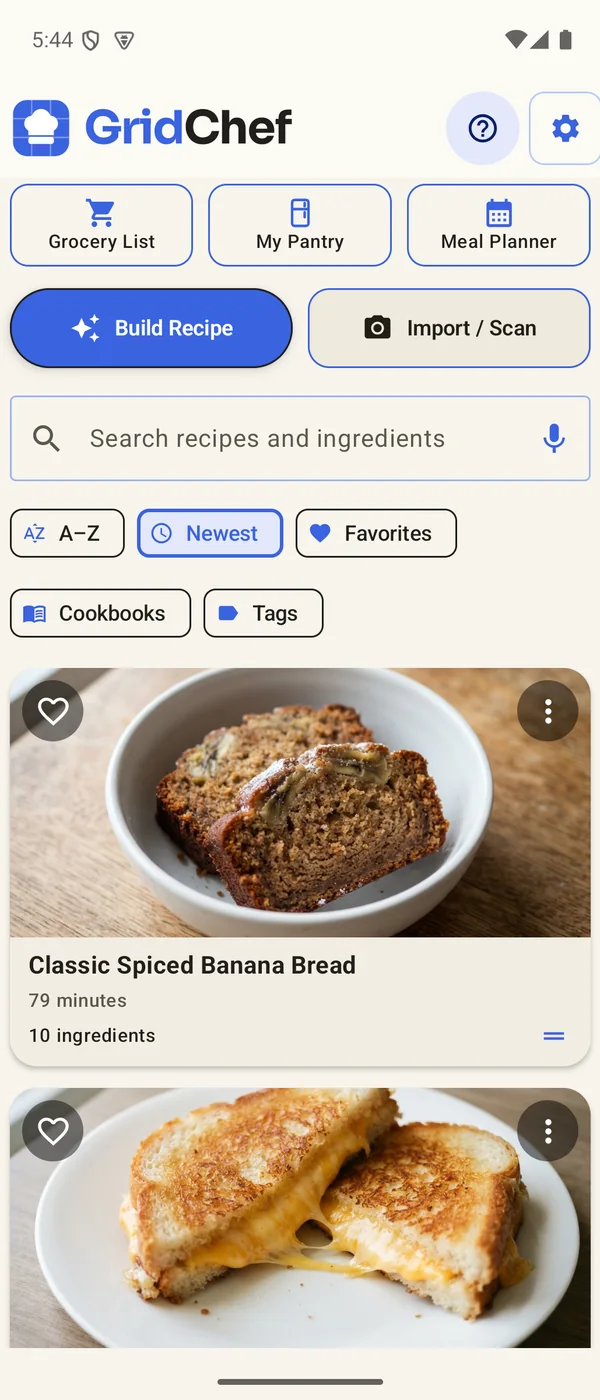
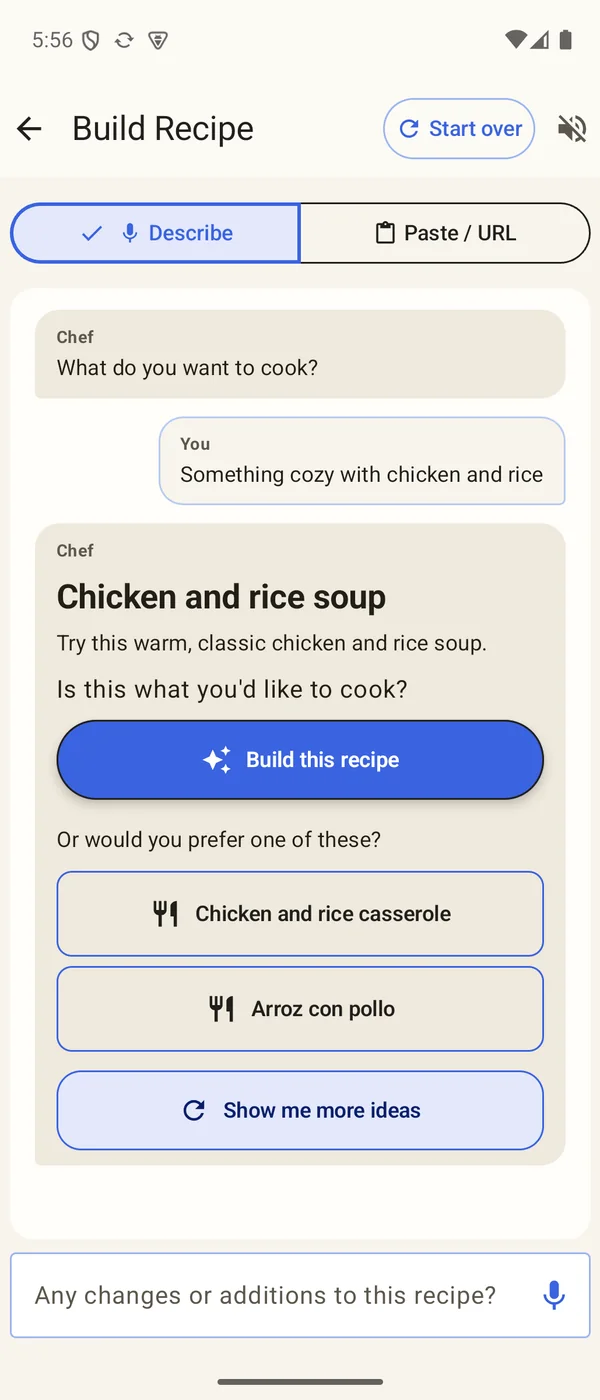
Keep the good recipes.
Make them your own.
Bring in recipes from websites, recipes written in TikTok and Instagram captions or YouTube descriptions, cookbook photos, PDFs, or pasted text. Or tell Chef, GridChef’s AI cooking assistant, what you feel like, and build a recipe together.
- Describe a dish, a craving, or what’s in your fridge, by typing or speaking
- Import from links, social captions and descriptions, photos, cookbook pages, PDFs, and pasted text
- Every new recipe comes with a photo of the dish, a photo for each step, and a nutrition estimate
- Change it with Modify recipe: dairy-free, spicier, quicker, or your own idea
- Missing an ingredient? Get a substitute with amounts, or a similar recipe without it
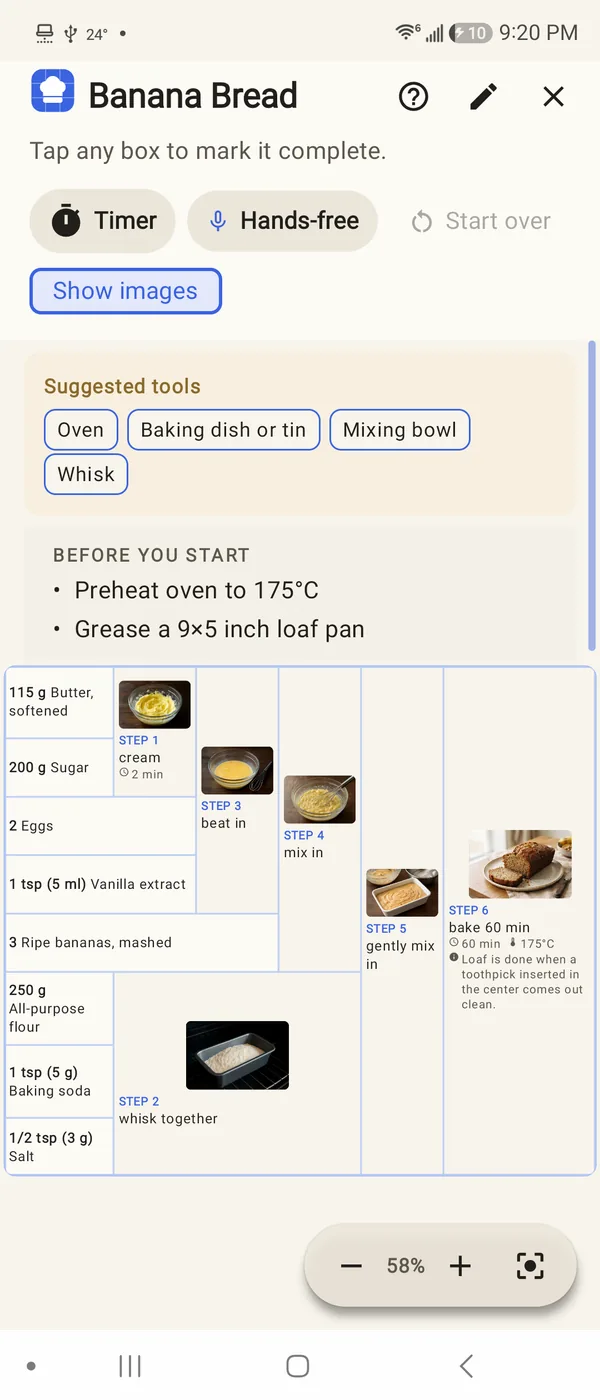
A clear view.
A calmer kitchen.
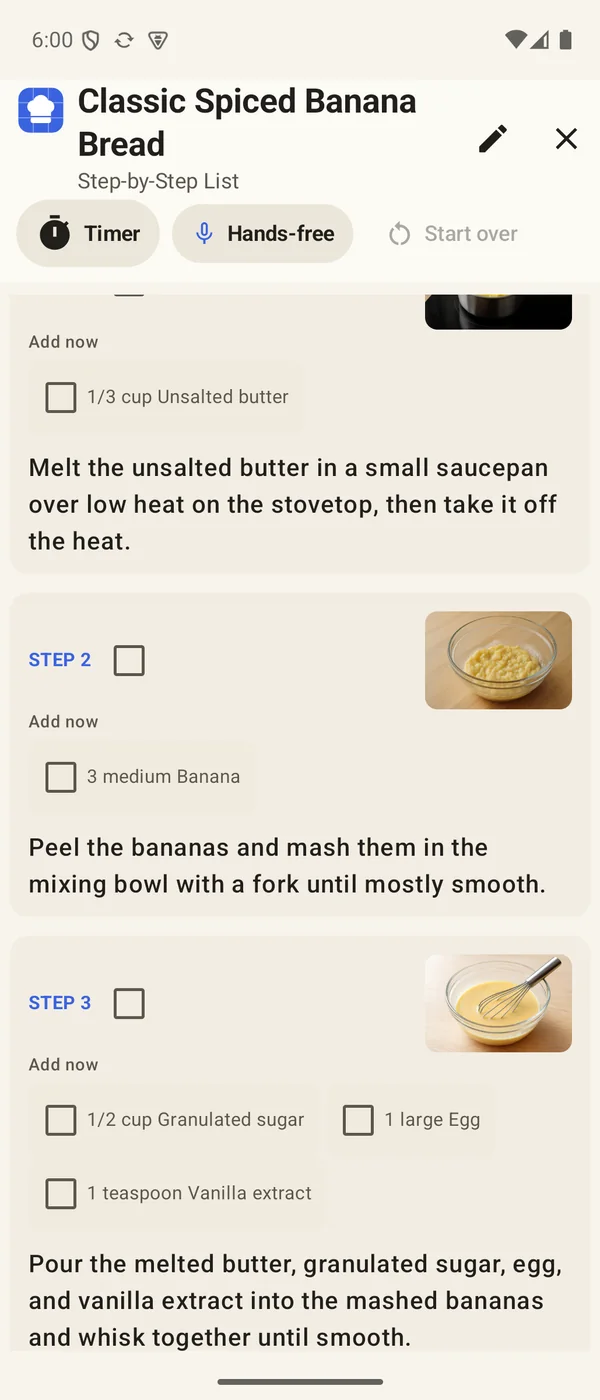
See how your ingredients become a meal in the Recipe Grid, or follow a step-by-step list with a photo for every step. Choose the view that makes sense to you each time you cook.
- Recipe Grid: ingredients flow into the steps that use them, all the way to the finished dish
- Step by step: one clear instruction at a time, with the ingredients to add now
- A photo for every step, so you know what each stage should look like
- Tools you’ll need and before-you-start steps, listed before you begin
- Hands-free: say “next”, “repeat”, or “how much flour”, and hear each step read aloud
- Check things off as you go, and start a timer from the step you’re on
Make as much
as you need.
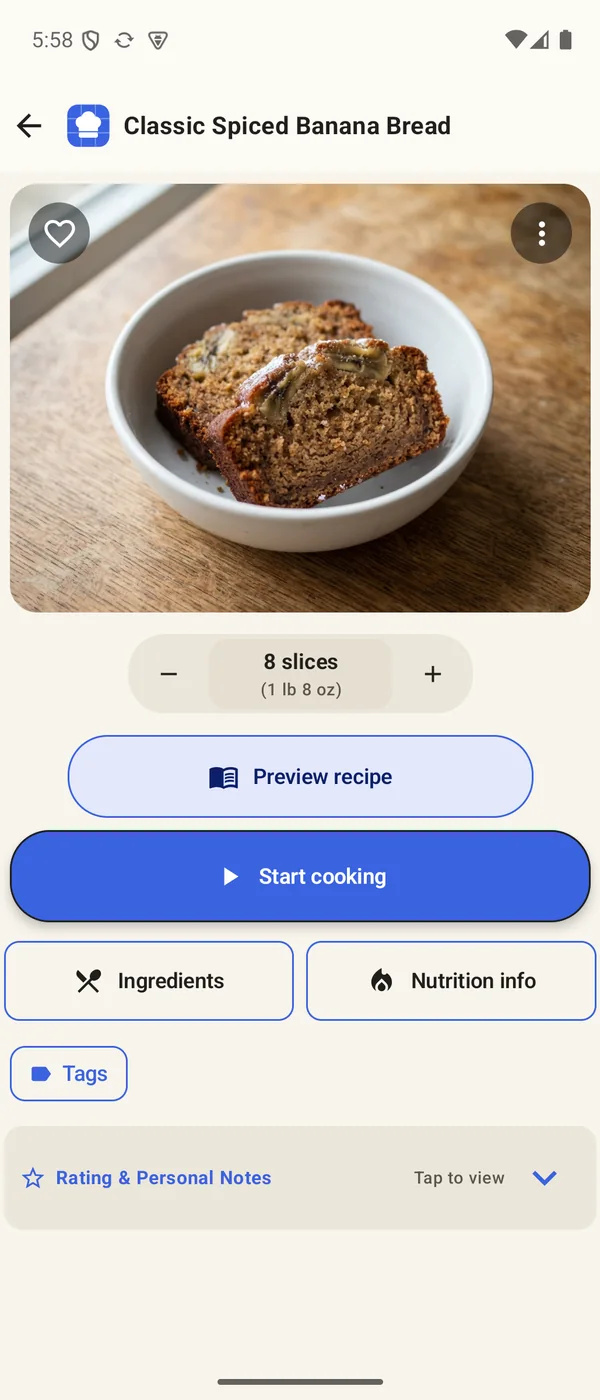
Recipes count in the food’s own units, like 8 slices, 4 bowls, or 12 cookies. Change the amount and every ingredient follows, in US or metric measures, with nutrition to match.
- Scale by the slice, bowl, cookie, glass, or portion, and set how much one weighs
- Whole items stay whole: 7/8 of a large egg becomes 1 medium egg, and garlic cloves stay whole
- Spoon amounts match real measuring spoons, never 0.4 of a teaspoon
- US or metric: flour in grams, milk in millilitres, and a teaspoon of salt in grams
- Estimated calories, protein, carbs, and fat for the whole batch or one portion
- Preview the whole recipe on one page before you start
Make a plan.
Bring the right things home.
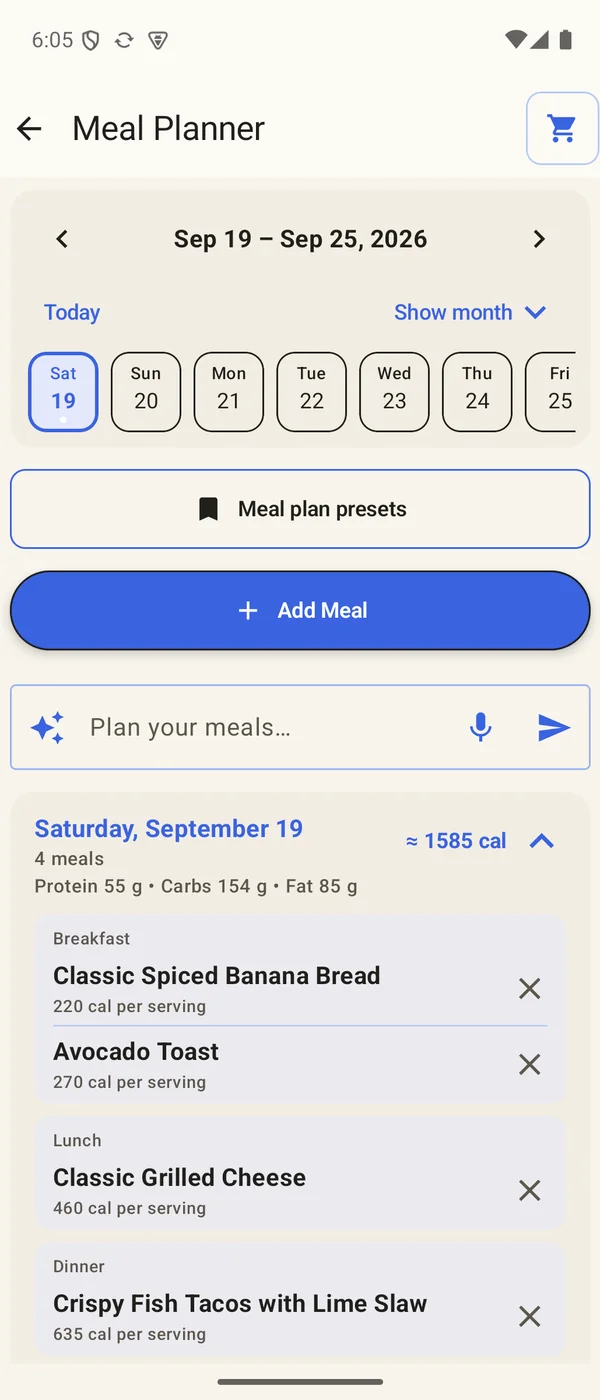
Put recipes on your calendar, see the next two weeks at a glance, and turn a week of meals into one grocery list. My Pantry keeps track of what you already have.
- Add a recipe to several days at once, for breakfast, lunch, dinner, or a snack
- Each day groups its meals and adds up the day’s calories and macros
- Ask Chef to plan your meals, repeat a favorite week, or save it as a preset
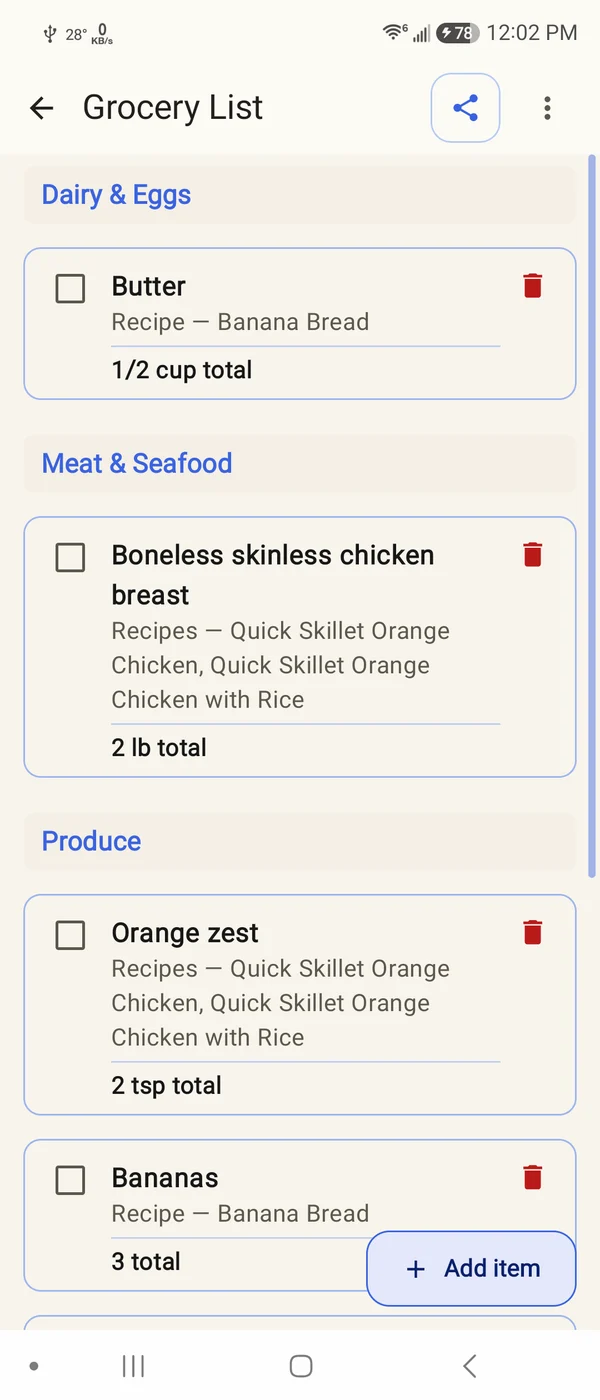
- Turn a week of meals into one grocery list, with amounts combined and items sorted by aisle
- See which recipes need each item, and share the list
- Add pantry items from a photo, then cook with what you have
Everything GridChef does.
A closer look, from the first idea to the last bite.
Create
Start from an idea, or bring the recipes you already love.
- Chef, your AI cooking assistantDescribe what you want by typing or speaking, pick from Chef’s ideas, and build the full recipe.
- Import from anywhereWeb links, recipes written in TikTok and Instagram captions or YouTube descriptions, photos, cookbook pages, PDFs, and pasted text become Recipe Grids.
- Gaps filled inIf a scanned page is cut off, Chef adds what is clearly missing and keeps everything else as written.
- Photos and nutrition, automaticallyEvery new recipe gets a photo of the finished dish, a photo for each step, and a nutrition estimate.
- Modify recipeAsk for a change, like dairy-free or less spicy, and get an adapted recipe to keep.
- Replace an ingredientSay what you’d rather use and get replacements with amounts, or a similar recipe when too much would change.
Cook
Two clear ways to follow a recipe, and your place carries between them.
- The Recipe GridIngredients sit on the left and flow into the steps that use them, so you can see what happens in parallel.
- Step-by-step listOne instruction at a time, with the ingredients to add and a photo of how it should look.
- Hands-free cookingSay “next”, “back”, “repeat”, or “how much flour”, and hear each step read aloud in the voice you choose.
- TimersStart a timer from the recipe, or ask for one by voice.
- Tools you’ll needThe pans, bowls, gadgets, foil, and parchment paper the recipe uses, listed up front.
- Check as you goTick off ingredients and steps, and pick up where you left off.
Amounts
The right quantity, in the units you use.
- Natural yieldsRecipes count in slices, bowls, cookies, glasses, or portions, the way you would say it.
- Smart scalingEvery ingredient follows the amount. Eggs change size instead of splitting, cloves stay whole, and spoons match real measuring spoons.
- US or metricCups become grams or millilitres, spoons of dry ingredients show grams, and the oven switches between °F and °C.
- Weight per pieceSet how much one slice or cookie weighs, and the batch total follows.
- Nutrition estimatesCalories, protein, carbs, and fat for the whole batch or one portion, updated as you change the amount.
- Preview recipeThe whole recipe on one page, at the amount you chose, before you start.
Plan & shop
From this week’s plan to what you bring home.
- Meal plannerPlan breakfast, lunch, dinner, and snacks by date, with the next two weeks at a glance.
- Several days at onceAdd a recipe to as many days as you like in one step.
- Chef plans with youAsk Chef to fill a week or change a meal in your own words.
- Presets and repeatsSave a favorite day or week, and repeat it whenever you like.
- Grocery listBuild it from recipes or a whole week. Amounts combine, items sort by aisle, and each shows the recipes that need it.
- My PantryAdd what you have from a photo, then ask Chef what to cook with it.
Organize & share
Your recipes, kept your way.
- Tags and foldersTag recipes and browse each tag as a folder.
- SearchFind recipes by name or ingredient, by typing or speaking.
- Favorites, ratings, and notesHeart the keepers, rate them, and keep dated notes each time you cook.
- CookbooksGroup recipes into cookbooks, drag them into your own order, and share a whole cookbook in one file.
- Share a recipeSend its step list as text, or its Recipe Grid as an image.
- Backups and 16 languagesYour library stays on your device, with backup and restore. Use GridChef in 16 languages and translate recipes when you need to.
Chef uses AI, and AI results can contain mistakes. Check amounts, allergens, and nutrition estimates before you rely on them. Creating and adapting recipes needs an internet connection.
A few things you might be wondering.
A clearer way to cook, from the first idea to the last step.
Can I bring my own recipes?
Yes. Import recipes from links, recipes written in TikTok and Instagram captions or YouTube descriptions, pasted text, photos, or PDFs, then save them in your own collection. Private or inaccessible webpages may need pasted text or photos instead.
Can I cook with what is in my pantry?
Yes. Add items to My Pantry by hand or from a photo, then select ingredients to take into Build Recipe. Chef offers ideas, and you can keep chatting, choose a suggestion, or ask for something different.
Do I have to use the Recipe Grid?
No. Start cooking lets you choose between Recipe Grid and a step-by-step list. You can use whichever view feels clearer for the recipe you are making.
Can I change how much a recipe makes?
Yes. Change the amount in the recipe’s own units, like slices or bowls, and every ingredient follows. Whole items stay whole: eggs change size instead of turning into fractions, and spoon amounts match real measuring spoons.
Does GridChef work in metric?
Yes. Choose US or metric in Settings. In metric, cups become grams or millilitres, teaspoons and tablespoons of dry ingredients show grams, and oven temperatures show in °C.
Can I cook without touching my phone?
Yes. Turn on Hands-free and say “next”, “back”, “repeat”, or “how much flour”. GridChef reads each step aloud, and you can start a timer by voice.
Which languages can I use?
GridChef is available in 16 languages, and it can translate a recipe into the language you read.
Does Chef need an internet connection?
Creating and adapting recipes with AI needs an internet connection. Your saved recipe collection is stored on your device, with backup and export options in the app.
Where can I download GridChef?
GridChef is being prepared for its public Android release. The download link will appear here when it is available.
Good food starts with a good plan.
GridChef for Android. Public release coming soon.